
A terminal for
the AI era.
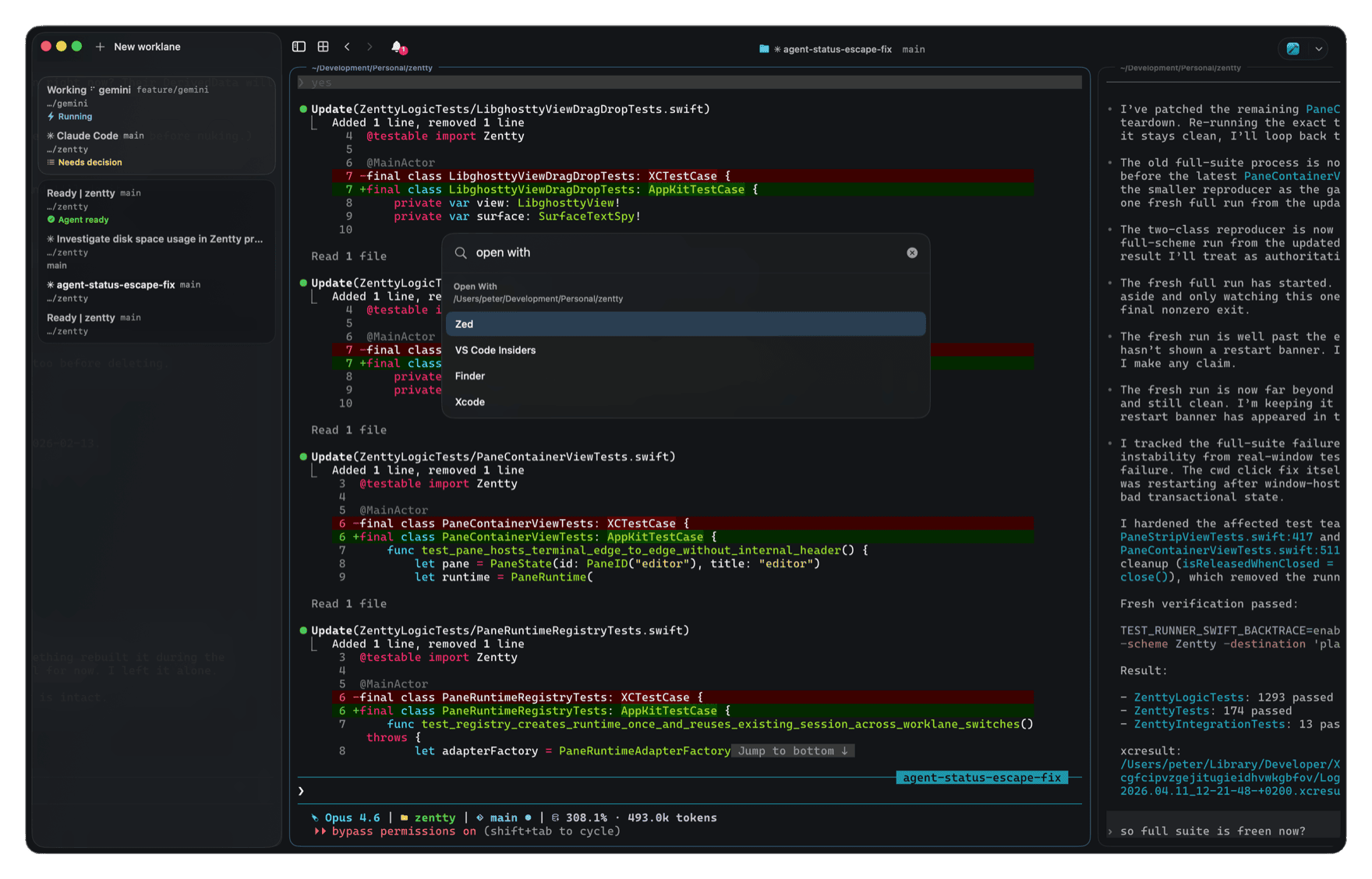
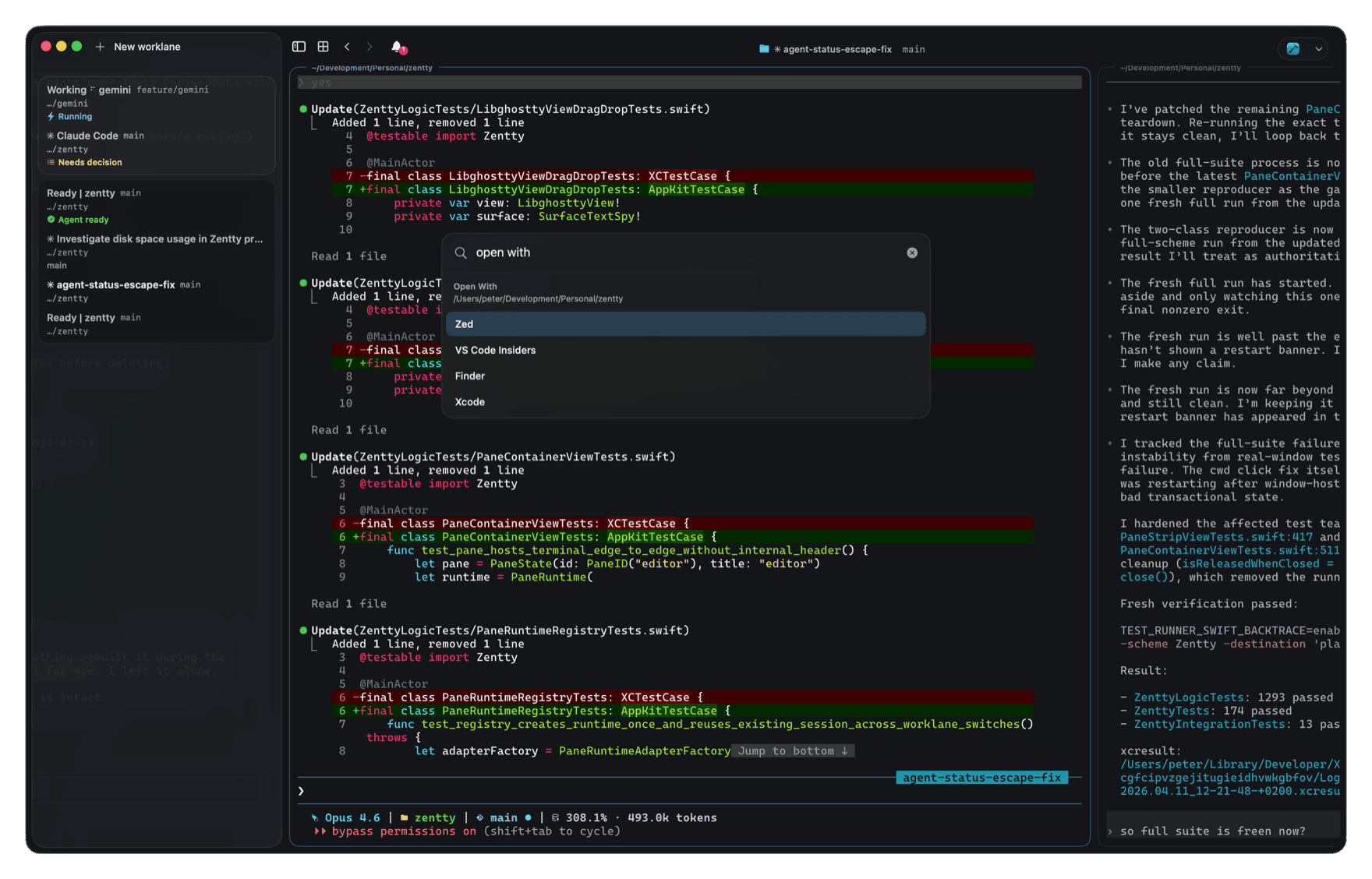
Run Claude Code, Codex, and your shells. Each thread of work gets its own worklane: your agents and dev servers stay together. When one needs you, Zentty takes you to its pane.
Free · Native Mac app · Built on Ghostty
The friction
Agents keep working
while you're elsewhere.
Most terminals still organize everything as tabs. You lose where things were. Nothing tells you an agent is waiting. After a restart you're rebuilding your layout from memory.
-
Checking, not working
You hop between panes just to see if anything changed.
-
Context that vanishes
Switch tasks and forget which tab held which agent.
-
Quiet waits
An approval sits in a pane you haven't opened in an hour.
Compare
Tabs hide what you were doing. Worklanes keep it in view.
A 2×2 split only fits four panes. Worklanes scroll: add another column without squashing the rest.
Switch context without losing it. Every lane survives a restart.
Switch tabs and the waiting agent disappears from view.
Under the hood
Agents are noisy.
Your sidebar isn't.
-
01
Worklanes
One lane per thread of work. Scroll through columns of panes instead of fighting tab overload.
-
02
Hooks
Claude, Codex, Cursor, and the rest report through hooks. Zentty normalizes that into the same sidebar states. A real event from the tool beats guessing from the window title.
-
03
Restore
Quit for the day, open Zentty tomorrow. Layout and agent sessions can resume where you stopped. Bookmarks save setups you want again.
Agent attention
Know when
an agent needs you.
Sidebar, macOS notifications, menu bar. Tap needs input and you're on the right pane.
- feature/auth Claude Code Needs input
- tests Codex Running
- release Gemini Idle
- review Copilot Done
Works the moment you launch one. No setup.
Zentty detects Claude Code, Codex, Antigravity, Copilot, Cursor, OpenCode, Kimi, Grok, Pi, Amp, Droid, with more adapters added regularly.
-
Jump to pane
Needs-input chips in the sidebar, notifications, and menu bar open the exact worklane and pane.
-
Many agents
Claude, Codex, Copilot, Cursor, and others share the same lifecycle and status in the sidebar.
-
Scriptable
The
zenttyCLI and pane env vars so hooks and scripts always target the right place.
Small decisions that
keep you in flow.
-
Keyboard-first
Every action lives in the command palette. Rebind anything, or apply left- or right-hand presets.
-
Open With
From the focused pane, open its directory directly in Finder or any editor. Or jump straight to the branch or PR on GitHub.
-
Global search
Search across every pane and agent state in the window. One shortcut, straight to what you need.
-
Clean Copy
Flattens multi-line shell snippets so they paste and run.
-
Undo Close
Last closed pane returns with its working directory and navigation history.
-
Task runners
Package scripts, Taskfiles, just, make, mise, and VS Code tasks show up in the palette.
-
Worklane colors
Local tints in the sidebar mark contexts across rows, borders, and chrome.
-
Dev servers
Listening ports are detected automatically. Open them in your browser of choice.
Zentty is the window. Ghostty is the engine.
Shipped often. Still rough in places. We use it every day.
Questions, answered.
-
How is Zentty different from Ghostty?
Ghostty is an excellent terminal, and Zentty builds on libghostty for the same rendering and VT fidelity. On top of that engine, Zentty adds worklanes, agent attention, a command palette, and a native Mac workflow. Ghostty gives you a great terminal; Zentty gives you a great terminal shaped for working with agents. -
How is this different from tmux?
tmux is a TUI multiplexer that lives inside your terminal. It expects a config file, key bindings to memorise, and a mental model to learn. Zentty is a native Mac app. No config files, no learning curve: open it and start working. Worklanes, the command palette, and agent attention are built in, not bolted on through plugins. If you need a detachable agent runtime across machines, see Herdr. -
What about Warp, Wave, or an agentic IDE?
Those move work into a larger environment: cloud agents, built-in editors, file browsers, dashboards. Zentty goes the other way on purpose. It stays a terminal. Your agents run in ordinary shells, your editor and tools stay yours, and Zentty only adds the visibility and attention signals that long-running agents need. See how it stacks up against Warp and Wave. -
Which agents does Zentty detect?
Out of the box: Claude Code, Codex, Gemini, Copilot, Cursor, Amp, OpenCode, Droid, Kimi, Grok, Pi, and Antigravity. Launch any of them in a pane and Zentty sees it, no setup or plugin needed. Each one gets the same normalized lifecycle (running, idle, needs input, needs approval, done), so the sidebar reads the same across every agent. More adapters land regularly. -
Is my data private?
Yes. Zentty doesn't collect any usage data, telemetry, or analytics. The only thing that ever leaves your machine is a crash report, and only if you choose to send it after a crash. Nothing is sent silently, ever. -
Which platforms are supported?
Today: macOS 14 Sonoma and up, built natively with Swift and AppKit. Linux and Windows are on the roadmap: Linux next, then Windows once libghostty supports it. -
Where does the name come from?
Zentty is a play on Zenjoy, the digital product studio behind it. For over 15 years Zenjoy has been building software and apps that aim to be elegant, simple, and joyful to use. Zentty carries that same intent into the terminal.